Best Password Manager: Is It Safe to Store Sensitive Passwords?
With cyberattacks, phishing, and data breaches becoming more common, managing passwords securely is no longer optional. Many users now rely on password managers — but a common question still remains:
Is it safe to keep sensitive passwords in a password manager?
And more importantly, which is the best password manager to use in 2026?
This article answers all major concerns, including real-world breach examples, whether bank passwords should be stored, how secure Google Password Manager is, and a comparison of the best free and paid password managers.
What Is a Password Manager and How Does It Work?
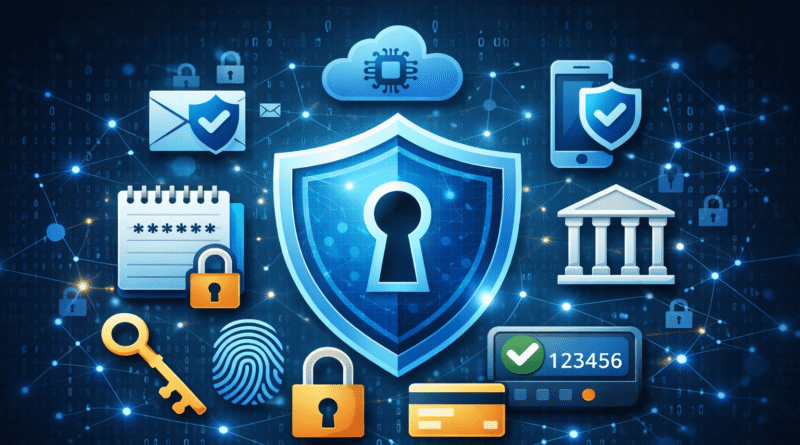
A password manager is a secure application that stores your usernames and passwords in an encrypted vault protected by one master password.
Most modern password managers use:
- AES-256 encryption
- Zero-knowledge architecture (even the provider cannot see your passwords)
- Auto-fill and password generation features
This allows users to maintain strong, unique passwords for every service without needing to remember them all.
Is It Safe to Store Sensitive Passwords in a Password Manager?
Short Answer: Yes — When Used Correctly
From a cybersecurity perspective, using a password manager is far safer than:
- Reusing the same password across sites
- Writing passwords in notes or browsers
- Relying on memory or simple passwords
Why Password Managers Are Safer:
- They prevent credential reuse attacks
- They protect against phishing via domain-based auto-fill
- They encrypt data locally before syncing to the cloud
That said, no system is 100% risk-free, which brings us to the next concern.
Can Password Manager Data Be Leaked? (Real-World Examples)
Yes, password managers can be targeted — but encryption and zero-knowledge design make the difference.
🔐 Real-World Example:
In 2022, LastPass disclosed a security incident where encrypted vaults were accessed by malicious actors. Although vault data was encrypted, weak master passwords posed a risk.
👉 Lesson learned:
Password managers are only as strong as your master password and security settings (multi-factor authentication is critical).
Is It Safe to Save Bank Passwords in a Password Manager?
This is one of the most searched questions:
“Is it safe to save bank passwords into a password manager application?”
✅ Yes, IF:
- The password manager uses zero-knowledge encryption
- You enable multi-factor authentication
- Your master password is long and unique
- Your devices are secure
❌ Avoid Storing Bank Passwords If:
- You reuse your master password elsewhere
- You skip multi-factor authentication
- Your device is compromised or shared
💡 Many security professionals actually recommend using password managers for bank and financial logins because they reduce phishing risks and prevent credential reuse.
Which Is the Best Password Manager? (Top 6 – Free & Paid)
Here’s a practical comparison of the best password manager applications trusted by users and security experts.
👉 1. Bitwarden (Best Overall — Free & Paid)
- Open-source and audited
- Strong encryption (AES-256)
- Excellent free tier
- Affordable premium plans
Best for: Security-conscious users and businesses
👉 2. 1Password (Best for Families & Teams)
- Secret Key + Master Password architecture
- Excellent multi-platform support
- Strong business controls
Best for: Families and enterprise users
👉 3. Dashlane (Best UX & Dark Web Monitoring)
- Integrated VPN
- Dark web breach alerts
- User-friendly interface
Best for: Users who want security + convenience
👉 4. Zoho Vault (Best Free & Business-Friendly)
- Strong free tier
- Integrates with Zoho ecosystem
- Secure sharing and admin controls
Best for: Small teams and users on a budget
👉 5. KeePass (Best Offline Option)
- Fully offline storage
- Open-source and customizable
- Requires manual setup
Best for: Advanced users who prefer local control
👉 6. Google Password Manager (Best for Google Ecosystem)
- Built into Chrome & Android
- No extra app needed
- Uses Google Account protection
Best for: Casual users already using Google services
Is Google Password Manager Good and Safe?
Is Google Password Manager good and safe?
It’s a solid option, especially if you’re already in the Google ecosystem.
🔐 Security Strengths:
- Protected by your Google Account
- Encrypted and tied to secure login
- Supports device-based authentication
⚠️ Limitations:
- Less control than dedicated password managers
- Single point of failure if Google account is compromised
- Fewer advanced features and enterprise controls
👉 Verdict:
Google Password Manager is safe for basic use, but not ideal for storing highly sensitive accounts unless combined with strong security practices.
Impact of Having a Password Manager
Using a password manager significantly improves your overall cybersecurity:
✅ Positive Impacts:
- Generates strong unique passwords
- Prevents reuse across services
- Reduces phishing and credential theft
- Saves time and increases productivity
❌ Without a Password Manager:
- Users often reuse weak passwords
- Accounts are easier to breach
- Manual management increases risk
From a cybersecurity standpoint, password managers are foundational defense tools.
Best Practices for Using a Password Manager Securely
To maximize safety and effectiveness:
- Use a long, unique master password
- Enable multi-factor authentication (MFA)
- Keep your devices updated and malware-free
- Avoid saving passwords on browsers alone
Final Verdict: Which Is the Best Password Manager?
If you’re asking:
- Which is the best password manager? → Bitwarden or 1Password
- Is it safe to save bank passwords? → Yes, with proper security
- Is Google Password Manager good and safe? → Safe for basic use, but limited for sensitive accounts
🔐 Bottom Line:
Using a reputable password manager is far safer than relying on memory, repetitive passwords, or insecure storage.