How to Keep Your Identity Safe on the Internet and Apps (Before Someone Misuses It)
Have you ever searched your own name or email on Google and paused for a second, thinking, “I didn’t know this was public”?
If yes, you’re not alone.
Every time we sign up for an app, comment on a post, shop online, or casually share something on social media, we leave behind pieces of ourselves. Over time, these pieces form what is known as our digital footprint—and most of us never realize how big it has become.
The uncomfortable truth is this: hackers and scammers don’t need to break into systems first. They often start by studying you. Your online presence gives them clues—sometimes enough to impersonate you, target you with phishing attacks, or even take over your accounts.
This article is about understanding that invisible trail, learning how to reduce it, and taking simple steps to protect your identity before it becomes a problem.
What Exactly Is a Digital Footprint?
Your digital footprint is the total information about you that exists online. Some of it is shared intentionally—like your social media posts or professional profiles. Some of it is collected quietly by apps, websites, and services you’ve used over the years.
This footprint includes your email addresses, phone numbers, usernames, old forum posts, app accounts, online purchases, comments, photos, and sometimes even your location history. Even if you stopped using a service years ago, your data may still be sitting on its servers—or worse, floating around after a data breach.
The problem isn’t visibility alone. The real risk is correlation. When bits of information from different places are combined, they can reveal far more about you than you ever intended.
How Hackers Use Public Information to Track People
Most cyber attacks begin with research, not malware.
Attackers often rely on publicly available information to build a profile. A leaked email address can reveal your username. That same username might appear on a forum you used years ago. A social media post might expose your employer, city, habits, or interests. Slowly, a pattern forms.
With enough data, attackers can guess passwords, craft convincing phishing emails, reset accounts, or impersonate you. In many cases, no technical hacking is required—just patience and publicly available data.
That’s why reducing your digital footprint matters. The less information available, the harder it becomes to target you.
How to Check What Information About You Is Already Online
Before fixing anything, you need to understand what’s already out there.
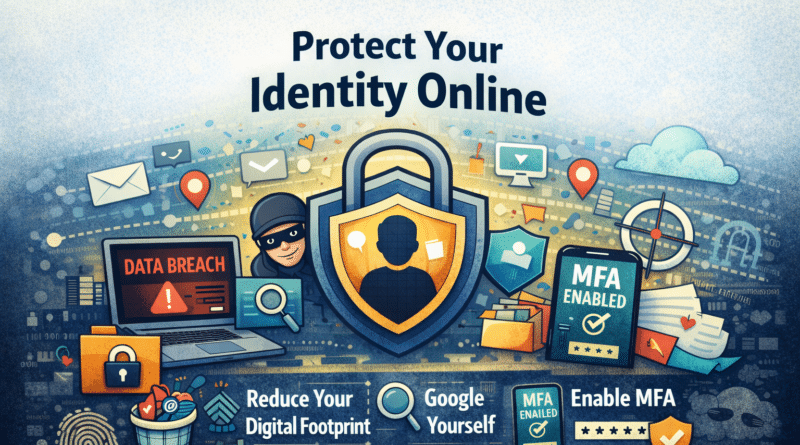
Start by searching for yourself online. Look up your full name, email address, phone number, and commonly used usernames. Check search results beyond the first page and explore images and old posts as well.
Next, check whether your email or phone number has appeared in known data breaches. Many people discover that accounts they forgot about were compromised years ago, and the passwords are still being reused elsewhere.
Finally, review your social media profiles as if you were a stranger. Ask yourself what someone could learn about you in five minutes—your routine, location, contacts, or personal preferences. This exercise alone is often eye-opening.
How to Reduce Your Digital Footprint Without Disappearing
You don’t need to vanish from the internet to stay safe. The goal is not invisibility—it’s control.
Start by cleaning up old and unused accounts. Every inactive account is a potential weakness, especially if it still uses an old or reused password. Close what you no longer need.
Be mindful of what you share publicly. Personal email IDs, phone numbers, travel plans, real-time locations, and daily routines are best kept private. What feels harmless today can be misused tomorrow.
One powerful habit is separating your digital identities. Use different email addresses for critical services like banking, for social media, and for shopping or newsletters. This way, if one email is exposed, the damage is contained.
Can You Remove Information That’s Already Online?
This is one of the most common questions—and the answer is mixed.
You can usually remove information from platforms you control. Old social media posts can be deleted. Unused accounts can be closed. Some forums allow content removal upon request. Data broker websites often provide opt-out options, though they may require effort.
However, not everything can be erased. Information copied by multiple sites, archived pages, or screenshots taken by others may continue to exist. That’s why reducing future exposure is just as important as cleaning up the past.
Quick Security Fixes You Should Apply Immediately
If you’re short on time, focus here first.
Enable Multi-Factor Authentication (MFA) wherever possible—especially on your email, social media, cloud storage, and financial apps. MFA alone can stop most account takeover attempts, even if your password is compromised.
Next, review your passwords. Avoid reusing the same password across platforms. A password manager can help you generate and store long, unique passwords securely.
Most importantly, secure your email account first. Your email is the gateway to everything else. If someone gains access to it, they can reset passwords across multiple platforms and lock you out of your own digital life.
Also take a few minutes to review app permissions on your phone and browser. Remove access to contacts, location, microphone, or files where it’s not truly needed.
Why Thinking Like a Hacker Helps You Stay Safe
One of the best ways to protect yourself is to change perspective.
Ask yourself what someone could learn about you with a simple search. Could your usernames be linked across platforms? Do your posts reveal more than they should? Could someone impersonate you using publicly visible information?
Privacy is not about fear. It’s about awareness and hygiene—just like locking your door even in a safe neighborhood.
Final Thoughts: Control Is the Real Power
You don’t need to stop using apps or social media to stay safe online. You just need to be intentional.
Share less. Secure more. Review regularly.
In a world where personal data is constantly collected, sold, and leaked, protecting your digital identity is no longer optional. It’s a basic survival skill.
Start small. Even one step today—like enabling MFA on your email—can prevent a major problem tomorrow.