Should You Move Your Domain to Cloudflare Free Tier?
How It Adds an Extra Layer of Security, Improves Performance, and What Settings You Must (and Must NOT) Enable
If you’re searching for how to add an extra layer of security to your domain, chances are you’ve come across Cloudflare. One of the most common questions website owners ask is:
Is it safe and useful to move my domain to Cloudflare’s free tier?
Will it improve speed and security, or can it break my site?
This article answers everything in detail — from how Cloudflare works, what changes when traffic passes through it, which settings to enable for best performance, and which ones you should never enable blindly.
What Does “Moving Your Domain to Cloudflare” Actually Mean?
When you move your domain to Cloudflare, you are not moving your website or hosting.
Instead:
- Your DNS is managed by Cloudflare
- Your website traffic is routed through Cloudflare’s global network
- Your hosting server IP stays hidden from the public
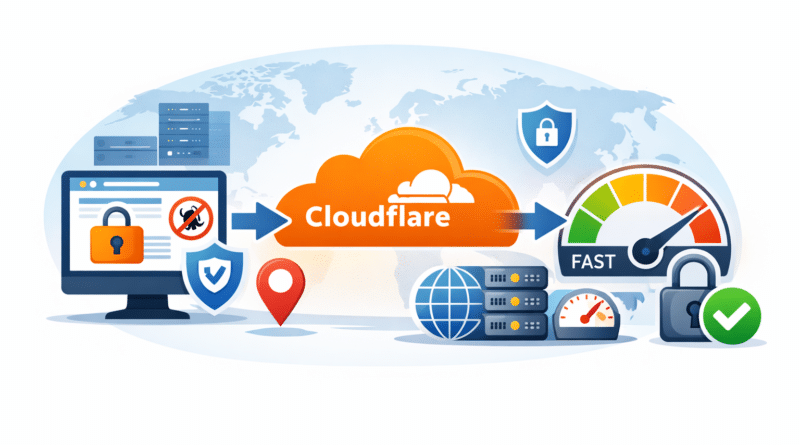
Traffic Flow Comparison
Without Cloudflare
Visitor → Hosting Server
With Cloudflare
Visitor → Cloudflare (Security + CDN) → Hosting Server
This single change adds a powerful security and performance layer in front of your website.
How Cloudflare Adds an Extra Layer of Security (Even on Free Tier)
1️⃣ DDoS Protection (Automatic & Always-On)
Cloudflare blocks:
- Volumetric DDoS attacks
- Bot floods
- Malicious traffic spikes
You don’t need to configure anything — this works by default.
2️⃣ Hides Your Server IP Address
Once Cloudflare proxy (🟠 orange cloud) is enabled:
- Attackers cannot see your real server IP
- Direct attacks on hosting are prevented
- Brute-force attempts are reduced
This is one of the biggest security advantages.
3️⃣ Free SSL & HTTPS Enforcement
Cloudflare provides:
- Free Universal SSL
- HTTPS redirection
- Protection from mixed content warnings
You get end-to-end encrypted traffic without paying anything.
4️⃣ Basic Firewall & Bot Protection
Even on the free plan, Cloudflare:
- Blocks known bad IPs
- Filters malicious user agents
- Stops common exploit patterns
Is It Right to Move Your Domain to Cloudflare Free Tier?
✅ YES, If:
- You want basic security without cost
- You run a blog, forum, business site, or WordPress site
- You want faster global delivery
- You don’t want to expose your server IP
❌ NOT IDEAL, If:
- You run highly dynamic apps needing full control
- You require advanced WAF rules
- You need custom caching logic (paid plans required)
For 90% of websites, Cloudflare Free is worth it.
Does Cloudflare Free Tier Really Improve Speed?
✅ Yes — But With Conditions
Cloudflare improves speed mainly by:
- Serving cached content from nearby locations
- Reducing latency for global visitors
- Compressing assets automatically
Speed Improvements You Can Expect
- Faster page load for static assets
- Better performance for international traffic
- Reduced load on your hosting server
⚠️ Important:
Cloudflare does not magically fix slow hosting. If your server is slow, Cloudflare can only help so much.
Cloudflare vs Direct Hosting Traffic: What’s the Difference?
| Feature | Direct Hosting | Through Cloudflare |
|---|---|---|
| Server IP exposed | ❌ Yes | ✅ No |
| DDoS protection | ❌ Limited | ✅ Strong |
| Global CDN | ❌ No | ✅ Yes |
| Free SSL | ❌ Depends | ✅ Yes |
| Bot protection | ❌ Minimal | ✅ Included |
MUST-ENABLE Cloudflare Settings (Best Performance + Security)
🔹 SSL / TLS Settings
- Encryption Mode: Full (Strict) ✅
- Always Use HTTPS: ON
- Automatic HTTPS Rewrites: ON
🔹 DNS Settings
- Enable Orange Cloud (Proxy) for:
- Website domain
- www subdomain
Do NOT proxy:
- Mail records
- FTP
- cPanel
- WHM
🔹 Speed Settings
Enable:
- Auto Minify (HTML, CSS, JS)
- Brotli Compression
These are safe and effective.
🔹 Security Settings
- Security Level: Medium
- Browser Integrity Check: ON
- Bot Fight Mode: ON (Free)
Cloudflare Settings You Should NOT Enable (Common Mistakes)
❌ Rocket Loader
- Breaks JavaScript-heavy sites
- Causes WordPress & Elementor issues
❌ Aggressive Cache Everything
- Breaks login sessions
- Causes admin & user issues
- Should only be used with rules
❌ Always Online (For Dynamic Sites)
- Shows outdated pages
- Confusing for forums & stores
Does Cloudflare Free Tier Help WordPress SEO?
Indirectly — YES.
Cloudflare helps SEO by:
- Improving page load speed
- Increasing uptime
- Enforcing HTTPS
- Reducing spam traffic
Google prefers:
- Fast
- Secure
- Stable websites
Cloudflare supports all three.
Limitations of Cloudflare Free Tier
Be aware of these limitations:
- No advanced WAF rules
- Limited firewall customization
- No image optimization (Polish)
- No smart routing (Argo)
- No priority support
Still, for a free plan, the value is exceptional.
Final Verdict: Should You Use Cloudflare Free Tier?
Absolutely — if configured correctly.
Cloudflare Free:
- ✅ Adds a real security layer
- ✅ Improves performance for most sites
- ✅ Protects your server
- ✅ Costs nothing
The key is knowing what to enable and what to avoid.