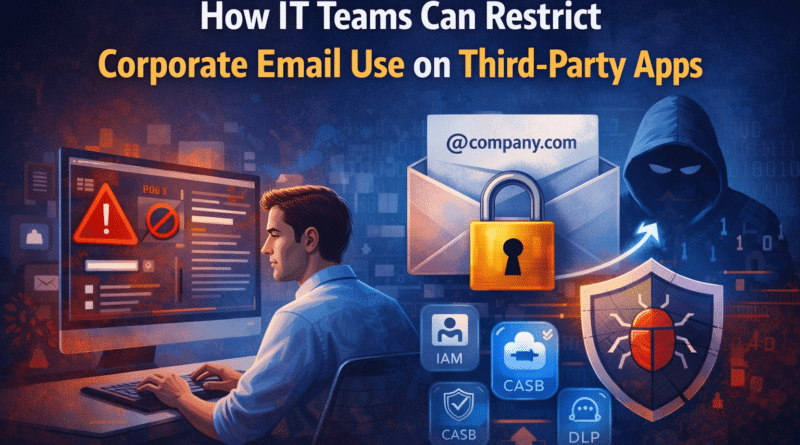
How IT Teams Can Restrict Employees from Using Corporate Email IDs on Third-Party Apps
Corporate email IDs are digital identities, not just communication tools. When employees use official email addresses on social media, eCommerce, or unapproved SaaS platforms, they unintentionally expand the organization’s attack surface.
This article explains how IT teams can technically and policy-wise restrict corporate email usage, and why these controls are critical—supported by real-world data breach examples.
Why IT-Level Restrictions Are Necessary
Even well-trained employees may:
- Register corporate emails on external apps
- Reuse passwords
- Ignore hidden data-sharing permissions
Relying only on employee awareness is risky.
Security must be enforced at the system level.
If you’re looking to understand why using corporate email IDs on third-party apps is risky for employees and businesses, read our detailed security awareness guide.
1. Identity & Access Management (IAM) Enforcement
IAM is the first and strongest control layer.
What IT Teams Can Do
- Allow corporate identities to authenticate only approved applications
- Block OAuth access to unknown or risky third-party apps
- Enforce strong authentication policies
Common IAM Platforms
- Microsoft Entra ID
- Google Workspace Admin
- Okta
🔴 Real-Life Case: LinkedIn Data Scraping (2021)
- 700+ million user profiles exposed
- Corporate email addresses widely leaked
- Attackers used company emails for:
- Spear-phishing
- Credential stuffing
- Business email compromise (BEC)
Lesson:
Even platforms without “password leaks” can expose corporate identity data.
2. Conditional Access Policies
Conditional access ensures context-aware security.
IT Can Restrict:
- Login attempts from unmanaged devices
- Access from high-risk countries
- Authentication from unknown SaaS apps
Example Policy
Corporate email login allowed only from company-managed devices and approved SaaS tools.
🔴 Real-Life Case: Dropbox Breach (2022)
- Employees used corporate credentials on external services
- Stolen credentials used to access internal GitHub repositories
- Resulted in internal code exposure
Lesson:
One external credential leak can cascade into internal system compromise.
3. Cloud Access Security Broker (CASB)
CASB tools provide visibility + control over cloud usage.
What CASB Enables
- Detect “shadow IT” usage
- Block corporate email signups on risky platforms
- Enforce SaaS security policies centrally
Popular CASB Solutions
- Microsoft Defender for Cloud Apps
- Netskope
- Palo Alto Prisma CASB
🔴 Real-Life Case: Uber Breach (2022)
- Employee credentials exposed via third-party access
- MFA fatigue attack exploited
- Internal systems compromised
Lesson:
Corporate identities used externally are prime attack vectors.
4. Data Loss Prevention (DLP) Policies
DLP prevents data exposure and misuse linked to corporate identities.
DLP Controls Include
- Blocking corporate emails from registering on external sites
- Alerting when corporate email appears in leaked databases
- Preventing sensitive data sharing via unauthorized apps
Industries where DLP is critical:
- Finance
- Healthcare
- SaaS
- IT services
5. Email Security Gateways & Threat Monitoring
Advanced email security tools help:
- Detect phishing targeting corporate emails
- Block malicious login verification emails
- Monitor leaked credentials on dark web sources
This reduces post-breach impact, even if exposure occurs.
6. Zero Trust Security Model
Under Zero Trust:
- No identity is trusted by default
- Every access request is verified continuously
- Compromised credentials alone are not enough to gain access
Zero Trust limits damage from:
- Third-party app breaches
- Credential reuse
- Phishing attacks
7. Acceptable Use Policy (AUP) & IT Governance
Technology must be backed by clear policies.
A Strong AUP Should State:
- Corporate emails are for official use only
- Personal apps must use personal email IDs
- Violations may lead to access revocation
Employees should acknowledge this policy during onboarding.
8. Security Awareness & Enforcement Programs
IT teams should run:
- Regular phishing simulations
- Email hygiene training
- Real-world breach case discussions
Informed employees + enforced controls = strongest defense.
Why These Controls Matter to Business
Without restrictions:
- One employee → one breach → entire organization at risk
With proper controls:
- Reduced attack surface
- Lower breach probability
- Strong compliance posture
- Better customer and partner trust
Final Thoughts
Corporate email misuse is not an employee problem—it’s a security architecture problem.
Organizations that proactively restrict corporate email usage on third-party apps significantly reduce the risk of:
- Credential theft
- Ransomware
- Business email compromise
- Regulatory penalties
🔗 Related Reading
Why Employees Should Not Use Corporate Email IDs on Third-Party Apps