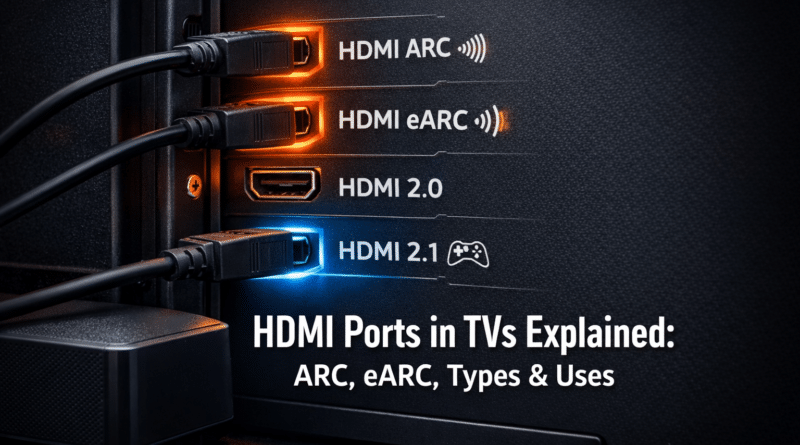
HDMI Ports in TVs Explained: ARC, eARC, Types & Uses
Modern televisions are designed to connect multiple devices such as gaming consoles, streaming devices, Blu-ray players, and sound systems. One of the most important connectivity options on any TV is the HDMI port.
HDMI (High-Definition Multimedia Interface) allows TVs to transmit high-quality video and audio through a single cable. This makes it the standard connection method for modern entertainment systems.
However, many TVs include multiple HDMI ports with labels such as ARC or eARC, which can be confusing for users. Understanding how HDMI ports work, their different types, and which devices should be connected to each port helps ensure the best audio and video experience.
What is an HDMI Port in a TV?
An HDMI port is a digital interface used to transmit high-definition video and multi-channel audio between devices using a single cable.
It replaced older connection types such as:
- VGA
- Component cables
- DVI
HDMI supports modern video technologies including:
- Full HD (1080p)
- 4K Ultra HD
- HDR (High Dynamic Range)
- 8K video resolution
Because of these capabilities, HDMI has become the primary connectivity standard for TVs, gaming consoles, streaming devices, and home theater systems.
Types of HDMI Ports in Modern TVs
Not all HDMI ports offer the same capabilities. Different HDMI technologies support different video resolutions, refresh rates, and audio features.
Standard HDMI Ports
Most HDMI ports on a TV function as standard inputs used to connect external devices.
Common devices connected to standard HDMI ports include:
- Streaming devices (Fire TV, Chromecast, Apple TV)
- Blu-ray players
- Set-top boxes
- Laptops or desktop PCs
These ports transmit video and audio from the device to the TV.
HDMI ARC (Audio Return Channel)
HDMI ARC stands for Audio Return Channel.
This feature allows audio from the TV to travel back through the HDMI cable to an external audio system such as a soundbar or AV receiver.
Before HDMI ARC, users needed an additional optical audio cable to send sound from the TV to speakers.
Devices typically connected to the ARC port include:
- Soundbars
- Home theater receivers
- AV amplifiers
If your TV includes a port labeled HDMI ARC, it is generally the best port to connect a soundbar.
HDMI eARC (Enhanced Audio Return Channel)
HDMI eARC is an upgraded version of ARC that supports higher bandwidth audio formats.
eARC enables support for advanced audio technologies such as:
- Dolby Atmos
- DTS:X
- Uncompressed surround sound
Because of the higher bandwidth, HDMI eARC delivers better audio quality for high-end home theater systems.
Many modern TVs include eARC support on HDMI 2.1 ports.
HDMI Versions and Their Video Capabilities
Different HDMI versions support different video resolutions and refresh rates.
HDMI 1.4 supports 4K resolution at 30Hz.
HDMI 2.0 supports 4K resolution at 60Hz and higher bandwidth.
HDMI 2.1 significantly increases bandwidth and supports 4K at 120Hz and even 8K video.
This difference becomes especially important for gaming consoles and high-frame-rate video content.
For example, modern gaming consoles such as PlayStation or Xbox can take advantage of HDMI 2.1 to deliver smoother gameplay at higher frame rates.
Which Devices Should Be Connected to Each HDMI Port?
Although most HDMI ports appear identical, some are designed for specific types of devices.
A soundbar or home theater system should usually be connected to the HDMI ARC or eARC port.
Gaming consoles should ideally be connected to HDMI 2.1 ports because they support higher refresh rates and gaming features such as Variable Refresh Rate (VRR) and Auto Low Latency Mode (ALLM).
Streaming devices such as Fire TV, Chromecast, or Apple TV work perfectly with standard HDMI 2.0 ports.
Blu-ray players and set-top boxes can also be connected to standard HDMI inputs.
Choosing the correct HDMI port ensures that devices operate with the best possible video and audio performance.
What is HDMI CEC?
HDMI CEC stands for Consumer Electronics Control.
This feature allows multiple devices connected through HDMI to communicate with each other.
For example, when you turn on a Blu-ray player, the TV may automatically turn on and switch to the correct HDMI input.
Many TV brands use different names for HDMI CEC:
Samsung calls it Anynet+.
Sony refers to it as Bravia Sync.
LG calls the feature Simplink.
HDMI CEC allows users to control multiple devices with a single remote control.
Does the HDMI Port Affect Picture Quality?
Yes, the HDMI version used on a TV can affect the maximum picture quality and frame rate supported.
For example, HDMI 2.0 can deliver 4K video at 60 frames per second.
HDMI 2.1 supports 4K video at up to 120 frames per second, which is particularly beneficial for gaming.
If a high-performance gaming console is connected to an older HDMI port, the device may not achieve its full video capabilities.
Using the correct HDMI port ensures optimal video performance.
How Many HDMI Ports Should a TV Have?
The number of HDMI ports needed depends on how many devices are connected to the TV.
For a basic setup, three HDMI ports may be sufficient. This setup may include a set-top box, a streaming device, and a soundbar.
For most households, four HDMI ports are ideal. This allows users to connect a gaming console, streaming device, soundbar, and Blu-ray player simultaneously.
Users with advanced home entertainment systems may benefit from TVs with four or more HDMI ports, particularly if multiple gaming consoles or audio systems are used.
Things to Consider When Buying a TV for HDMI Connectivity
When choosing a TV, it is helpful to check the HDMI capabilities.
Look for a TV that includes at least one HDMI ARC or eARC port if you plan to use a soundbar or home theater system.
For gamers, HDMI 2.1 support is important because it allows higher refresh rates and advanced gaming features.
A TV with at least four HDMI ports provides greater flexibility for connecting multiple devices.
If you are planning to buy a new television, you can also read our guide on choosing the right smart TV for modern entertainment setups:
You may also want to explore different TV display technologies in our detailed guide covering LED, OLED, QLED, Mini-LED, and MicroLED panels:
Types of TV Display Technologies Explained: LED, OLED, QLED, Mini-LED & MicroLED (2026 Guide)
Understanding these technologies along with HDMI capabilities can help you choose the best TV for your needs.
Conclusion
HDMI ports are essential for connecting modern entertainment devices to your television. While most TVs include multiple HDMI inputs, understanding the differences between standard HDMI ports, ARC, eARC, and HDMI 2.1 helps users connect devices correctly and achieve the best performance.
Soundbars should typically use the HDMI ARC or eARC port, while gaming consoles benefit from HDMI 2.1 ports that support higher refresh rates and advanced gaming features.
Choosing a TV with at least four HDMI ports and modern HDMI standards ensures better compatibility with current and future devices.
Understanding how HDMI ports work allows users to create a more efficient and high-quality home entertainment setup.