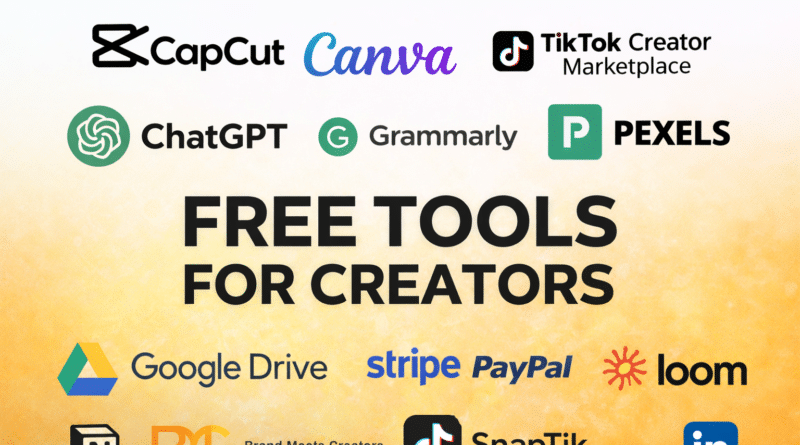
Creators Are Using These Free Tools to Grow Faster in 2026
Creating content today doesn’t require expensive software, paid subscriptions, or a big team.
In fact, many creators are growing Instagram pages, YouTube channels, blogs, and even full-time businesses using mostly free tools.
The catch?
Not all “free” tools are actually useful — some are limited, some hide paywalls, and some are genuinely powerful even on the free plan.
In this article, I’ve broken down popular free tools content creators are actually using, what they’re best for, what’s truly free, what’s limited, and how you can use them smartly.
Why Free Creator Tools Matter in 2026
The creator economy is more competitive than ever. Everyone is posting Reels, Shorts, blogs, and carousels daily. Free tools allow:
- Beginners to start without spending money
- Small creators to test ideas fast
- Professionals to delay paid upgrades until they earn
If used correctly, free plans are more than enough in the early stages.
Why Most Reels & Shorts Creators Use CapCut and InShot
CapCut
CapCut has become the go-to editing app for short-form video creators.
Best for
- Instagram Reels
- YouTube Shorts
- TikTok videos
Is it really free?
✅ Yes, most features are free
⚠️ Some advanced fonts, effects, and cloud features are paid
How to use it well
- Use trending templates for faster reach
- Add auto-captions for higher watch time
- Export videos without watermark (still free)
InShot
InShot is simple and beginner-friendly.
Best for
- Quick edits
- Vlogs
- Story videos
Is it really free?
⚠️ Free version adds watermark
✅ Removing watermark requires paid plan
Creator tip
Many creators trim videos in InShot and finalize edits in CapCut.
How Creators Design Thumbnails & Posts Using Canva
Canva is one of the most popular tools among creators — and for good reason.
Best for
- Thumbnails
- Instagram posts
- Logos & branding
- Pinterest graphics
Is it really free?
✅ Thousands of templates are free
⚠️ Pro assets, stock images, and brand kits are paid
How to use it smartly
- Stick to free templates initially
- Create a fixed color palette for consistency
- Use Canva for thumbnails even if you edit videos elsewhere
How Creators Write Captions, Scripts & Blogs Faster Using AI
ChatGPT
ChatGPT helps creators save time on thinking, structuring, and writing.
Best for
- Blog outlines
- Reel captions
- Video scripts
- Content ideas
Is it really free?
✅ Free version is powerful enough
⚠️ Advanced models and tools are paid
Realistic use
Use it as a thinking partner, not a copy-paste machine.
Grammarly
Grammarly helps clean up writing.
Best for
- Blogs
- Emails
- Brand pitches
Is it really free?
✅ Grammar & spelling checks are free
⚠️ Tone, rewrites, plagiarism checks are paid
Best combo
Write with ChatGPT → polish with Grammarly.
How Creators Track Performance Using Metricool
Metricool helps creators understand what’s working.
Best for
- Instagram analytics
- Scheduling posts
- Tracking engagement
Is it really free?
✅ Free plan supports one brand
⚠️ Advanced reports & automation are paid
How to use
Check weekly performance instead of obsessing daily.
Where Creators Get Free Stock Images & B-Roll
Pexels
Pexels offers copyright-free images and videos.
Best for
- Blog images
- YouTube b-roll
- Website visuals
Is it really free?
✅ Completely free
✅ No attribution required
Dupe
Dupe helps find alternatives to premium stock images.
Use case
When you see a paid image, Dupe helps you find similar free ones.
How Creators Plan Content Using Notion
Notion acts as a second brain for creators.
Best for
- Content calendars
- Idea tracking
- Brand deal management
Is it really free?
✅ Free for personal use
⚠️ Collaboration limits apply
Creator tip
Most solo creators never hit the free plan limit.
How Creators Find Brand Deals Without Agencies
Brand Meets Creators
This platform connects brands directly with creators.
Best for
- Micro-influencers
- Instagram & YouTube creators
Is it really free?
✅ Free to join
Brands reach out directly.
How Creators Record Tutorials Using Loom
Loom is perfect for screen recordings.
Best for
- Tutorials
- Client explanations
- Course content
Is it really free?
⚠️ Free plan has limits
✅ Enough for basic usage
How TikTok Creators Track Trends & Get Paid Collabs
TikTok Creator Marketplace
An underrated tool for serious creators.
Best for
- Finding trending content
- Brand collaborations
Is it really free?
✅ Yes
How Creators Store & Share Content Using Google Drive
Google Drive is still one of the most useful tools.
Best for
- File backups
- Sharing content with brands
Is it really free?
✅ 15GB free storage
⚠️ Paid upgrade after limit
How Creators Get Paid Using Stripe & PayPal
Payments matter once you start earning.
Stripe
- Best for international clients
PayPal
- Widely accepted
Is it really free?
✅ No setup fee
⚠️ Transaction charges apply
About Tools That Remove Watermarks (Important Note)
Tools like SnapReel and SnapTik exist, but creators should use them responsibly.
Use only
- Your own content
- Content you have rights to
Never repurpose someone else’s work without permission.
If You’re Just Starting, Use This Free Creator Stack
- 🎥 Video editing: CapCut
- 🎨 Design: Canva
- ✍ Writing: ChatGPT + Grammarly
- 📊 Analytics: Metricool
- 🧠 Planning: Notion
- 📁 Storage: Google Drive
This setup is enough to start and grow.
Final Thoughts
Most creators don’t need paid tools on day one.
Free plans today are powerful, flexible, and more than capable of helping you build momentum.
Upgrade only when your content starts earning — not before.