Best AI-Powered Video Editors for YouTubers (Free vs Paid) – 2026 Guide
Creating high-quality YouTube content no longer requires hours of manual editing. Thanks to AI-powered video editors, creators can now automate cuts, generate subtitles, enhance audio, and even create entire videos from text prompts. Whether you’re a beginner or a seasoned YouTuber, choosing the right tool—free or paid—can dramatically impact your workflow and content quality.
In this SEO-optimized guide, we’ll explore the best AI video editors for YouTubers, compare free vs paid options, and help you decide which one suits your needs.
🚀 Why YouTubers Are Switching to AI Video Editors

AI-powered tools are transforming content creation by offering:
- Auto editing & smart cuts – Removes silences and filler words
- AI subtitles & captions – Boost engagement and accessibility
- Voice enhancement – Clean, studio-quality sound
- Text-to-video generation – Create videos from scripts
- Background removal & effects – No green screen needed
These features save time and help creators scale faster.
🆓 Best Free AI Video Editors for YouTubers
1. CapCut

Best for: Beginners & short-form creators
Key Features:
- AI auto captions & translations
- Background removal
- Text-to-speech & effects
- Free templates for YouTube Shorts
Pros:
✔ Completely free
✔ Easy to use
✔ Powerful AI features
Cons:
✖ Limited advanced controls
2. DaVinci Resolve
Best for: Advanced users & filmmakers
Key Features:
- AI facial recognition
- Smart color grading
- Professional editing tools
Pros:
✔ Hollywood-level editing
✔ Free version is very powerful
Cons:
✖ Steep learning curve
3. Clipchamp

Best for: Quick edits & browser-based editing
Key Features:
- AI voiceovers
- Auto captions
- Stock media library
Pros:
✔ No installation needed
✔ Beginner-friendly
Cons:
✖ Limited export quality in free plan
💰 Best Paid AI Video Editors for YouTubers
1. Adobe Premiere Pro (with AI tools)

Best for: Professional YouTubers
Key Features:
- AI auto reframe
- Speech-to-text captions
- Advanced editing ecosystem
Pros:
✔ Industry-standard software
✔ Powerful AI integrations
Cons:
✖ Subscription-based
2. Descript
Best for: Talking-head & podcast-style videos
Key Features:
- Edit video like a document
- Remove filler words automatically
- AI voice cloning (Overdub)
Pros:
✔ Extremely fast editing
✔ Great for beginners
Cons:
✖ Limited traditional timeline editing
3. Runway ML

Best for: AI-generated & creative videos
Key Features:
- Text-to-video generation
- AI background editing
- Motion tracking
Pros:
✔ Cutting-edge AI tools
✔ Ideal for creative storytelling
Cons:
✖ Requires learning & paid credits
⚖️ Free vs Paid AI Video Editors: Which Should You Choose?
| Feature | Free Tools | Paid Tools |
|---|---|---|
| Cost | ₹0 | Subscription / credits |
| Ease of Use | Beginner-friendly | Moderate to advanced |
| AI Features | Basic to moderate | Advanced & cutting-edge |
| Export Quality | Limited (sometimes) | Full HD / 4K / Pro-level |
| Best For | Beginners & casual users | Professionals & scaling creators |
🎯 Final Verdict
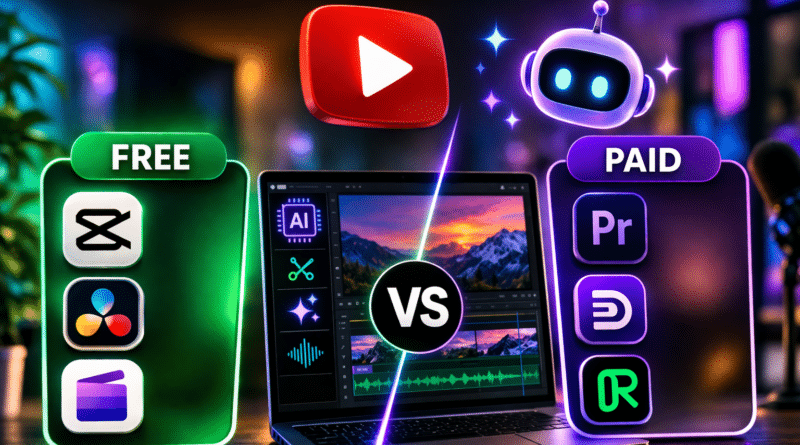
- Go for free tools like CapCut or DaVinci Resolve if you’re just starting your YouTube journey.
- Invest in paid tools like Premiere Pro, Descript, or Runway ML if you want faster workflows, better quality, and advanced AI features.
👉 Pro Tip: Many YouTubers combine tools—for example, using CapCut for quick edits and Premiere Pro for final polishing.
🔍 FAQs
-
What is the best free AI video editor for YouTube?
CapCut is one of the best free AI video editors with powerful features and ease of use.
-
Are AI video editors worth it?
Yes, they save time, improve video quality, and help scale content production.
-
Can AI edit videos automatically?
Yes, tools like Descript and Runway ML can automate editing, captions, and even video creation.